Auto Locksmith Leicester | 24/7 Emergency Car Locksmith Services
Car Key Battery Replacement Leicester | Mobile Help
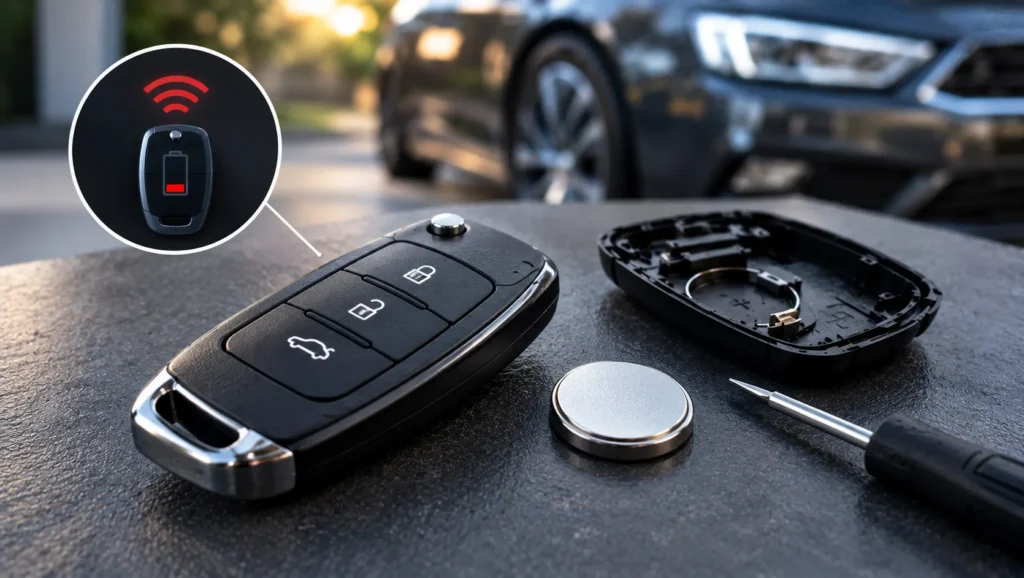
Car key battery replacement is one of the cheapest and quickest fixes you can do yourself. If your fob has become unreliable, a worn-out coin cell is the most likely cause. As a mechanic with over 15 years in the motor trade, I see this regularly across Leicester, and most of the time it takes under five minutes. This guide explains how to do it, which battery you need, and when it is worth calling in help.
Signs Your Car Key Battery Is Dying
Fob batteries rarely fail overnight. Watch for these warning signs:
- You have to press the buttons several times before the car responds.
- You need to stand much closer to the car for the remote to work.
- The central locking works one day and not the next.
- A key battery warning light or message appears on the dashboard.
- Keyless entry or push-button start becomes patchy.
If you notice these, change the battery before it dies completely. If it has already gone flat and the car will not start, see our guide on how to start a car without a key if your key fob battery dies.
What You Need Before You Start
You do not need special tools. Gather the following:
- The correct replacement battery (check the type first, see below).
- A small flat-head screwdriver, or a coin for fobs with a slot.
- A clean, well-lit surface, ideally with a tray so tiny parts do not roll away.
- Your owner’s handbook, if you still have it, for model-specific guidance.
Key fob battery cost is low. Coin cells are generally a few pounds from most shops, so there is rarely a reason to pay more than that for the part itself.
Step-by-Step: Changing the Battery
Here is how to change a car key fob battery at home:
- Find the opening point. Look for a small slot along the seam of the fob. Some fobs have a release catch that lets you slide out a metal emergency key first.
- Open the case gently. Twist a coin or small screwdriver in the slot until the halves separate. Do not force it, as plastic clips snap easily.
- Note the battery orientation. Take a photo or remember which side (usually the positive, marked with a plus) faces up.
- Remove the old battery. Lift it out with a fingernail or plastic tool. Avoid touching the circuit board with metal.
- Fit the new battery. Handle it by the edges to keep fingerprints off the contacts, and place it the same way round.
- Close the case. Press the halves together until they click, then test the lock, unlock and boot buttons near the car.
Take your time. Rushing is how people crack casings or knock a small component loose.
Common Battery Types for Car Keys
Many people ask which battery their car key uses. Most fobs take a flat lithium coin cell. The code is printed on the battery itself, so open the fob and read it before buying.
- CR2032: very common, a larger 20mm cell used in many fobs and smart keys.
- CR2025: same width but thinner, found in a number of remotes.
- CR2016: a thinner, smaller-capacity cell used in some compact fobs.
- CR1620 and CR1616: smaller cells found in some slimmer or older designs.
Do not swap a thicker cell for a thinner one. It may fit loosely and lose contact. Always match the code exactly. If the battery code is worn or unclear, your handbook or a quick check by a professional will confirm it.
Do You Need to Reprogram the Key After a Battery Change?
On most cars, no. The key’s programming is stored in memory, not dependent on the battery, so a quick swap normally keeps everything working. Problems can occur if the battery has been out for a long time or the remote functions need resynchronising. Some vehicles ask you to press a button sequence or turn the ignition on and off to re-sync the remote. Your handbook will explain if your model needs this.
Key Still Not Working After a New Battery?
If your key fob is still not working after a new battery, run through these checks:
- Battery position: make sure it is the right way up and sitting firmly on the contacts.
- Battery quality: a cheap or old stock cell can be flat already. Try a fresh one.
- Dirty or corroded contacts: look for residue or green marks on the metal terminals.
- Damaged circuit board: dropped or water-damaged fobs often fail internally.
- Worn buttons: the rubber pad or contact under a button may have worn through.
- Lost synchronisation: the car may need the remote re-learned.
- Car-side fault: a weak car battery or immobiliser issue can mimic a fob problem.
This is where diagnosis matters. A dead fob and a faulty immobiliser look similar to the driver but need very different fixes. I can diagnose which it is before you pay for anything.
When a Leicester Mobile Locksmith Can Help
Call for help if the casing is damaged, the fob has stopped responding after a fresh battery, or the key needs to be re-learned by the car. Leicester Auto Locksmith comes to you across Leicester, Wigston, Oadby, Blaby, Glenfield, Birstall and surrounding areas, with no call-out fee and dealer-level diagnostic equipment.
Depending on the fault, we can repair or replace a faulty fob, cut a new key or programme a replacement on site. See our key fob guides for more troubleshooting advice, or read about car key programming to understand what is involved when a key needs to be paired with the car.
Quick Tips to Make Fob Batteries Last
- Keep the fob away from heat, damp and heavy knocks.
- Avoid leaving it next to your phone or other electronics all day.
- Store a spare key somewhere cool and dry, and check its battery too.
- Replace the battery at the first sign of weak range, rather than waiting for it to fail.
If your fob is failing and a new battery does not solve it, get in touch with Leicester Auto Locksmith. We will find out whether it is the battery, the fob or the car, and fix it where you are, 24/7.